100% Offline • Complete Privacy

Never Miss a Dose.
Keep Your Health Data Private.

MediMate is your smart, ad-free offline pill tracker and medication reminder. Built for individuals and families who demand reliable alarms without giving up their personal medical privacy.

Zero Internet / No Tracking
No Accounts or Sign-ups
Exact Android Alarms
100% Ad-Free
MediMate Pill Reminder Screen
Medical Information Notice
MediMate is an organizational reminder and pill-logging tool. It does not provide medical diagnoses, treatment recommendations, drug interaction checks, or dosage calculations. Always consult your licensed physician or pharmacist for medical guidance. In an emergency, dial your local emergency services immediately.

Built to Keep You Healthy, Designed to Keep You Private

Everything you need to manage your personal and family prescriptions safely on Android.

Smart Dose Reminders

Schedule daily, interval, or as-needed medication alarms. Includes actionable notification buttons: Mark as Taken, Snooze, or Skip directly from your lock screen.

100% Offline Architecture

No servers, no cloud databases, and the Android INTERNET permission is permanently blocked. Your medical records physically cannot leave your phone.

Family Profiles

Manage medications for kids, parents, or partners in one organized app. Store separate doctor contacts, allergies, and upcoming appointment dates for each profile.

Refill Alerts & Inventory

Track remaining tablet quantities and receive automated low-stock warnings days before you run out, avoiding unexpected prescription lapses.

Adherence & Doctor PDF

Monitor weekly adherence rates and generate clean, professional PDF intake summaries to share with your physician or pharmacist during check-ups.

Biometric Lock & Backup

Protect your health records with your device's fingerprint or a custom 4-digit PIN. Export full encrypted JSON backups to safely move data on your own terms.

Clean, Calm & Effortless Design

Intuitive navigation built to make medication management stress-free for all ages.

Never Miss Your Medicine Screen

Timely Pill Reminders

Clear schedules with exact-time alarms and dose history logging.

Multi-profile Family Management

Family Profiles

Easily switch between dependents, appointments, and prescriptions.
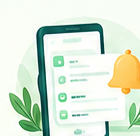
Actionable Dose Notifications

Quick Action Alarms

Take, Snooze or Skip doses in one tap from notifications.

Your Health Data Belongs to You Alone

Unlike most health apps that sync your confidential prescriptions to third-party ad networks or commercial servers, MediMate operates entirely on-device. We have no user accounts, no analytics SDKs, and zero internet connectivity.

Privacy Shield Security

Frequently Asked Questions

Everything you need to know about MediMate's offline operation, permissions, and security.

How does MediMate trigger alarms without internet?
MediMate leverages Android’s native AlarmManager framework (Exact Alarms). When you schedule a medicine, your device’s local operating system registers the exact wake-up time. Alarms ring accurately even if your device is in Airplane Mode, has no cellular data, or is disconnected from Wi-Fi.
Is my medication or personal health data uploaded anywhere?
No. MediMate does not connect to any servers. All records (medicines, dose logs, family profile names, notes) are stored strictly in your device's private application sandbox using AsyncStorage. Furthermore, android.permission.INTERNET is explicitly blocked in our build manifest.
How can I delete all my stored data?
You have complete physical custody over your data. In the app, navigate to Settings > Delete All Data to immediately wipe all local records, cancel all active reminders, and reset the app. Uninstalling MediMate from your device also permanently deletes all sandboxed storage immediately. See our Data Deletion Policy for complete details.
What Android permissions does MediMate request and why?
MediMate only requests permissions essential for core utility:
• POST_NOTIFICATIONS: To deliver timely dose alerts and refill reminders on Android 13+.
• SCHEDULE_EXACT_ALARM & USE_EXACT_ALARM: To sound alarms at exact clock times rather than battery-delayed windows.
• RECEIVE_BOOT_COMPLETED: To restore scheduled alarms after your device is rebooted.
• USE_BIOMETRIC / USE_FINGERPRINT: To lock the app with your phone's biometric sensor (optional).
Broad storage, contacts, camera, and internet access are blocked or omitted.

Can I back up my records or transfer them to a new phone?
Yes! Under Settings > Backup & Restore, tap "Export Backup" to save an offline JSON file of your medicines and history to your local files or share it securely via your phone’s system share sheet. On your new phone, tap "Import Backup" to restore it.
Does MediMate provide medical advice or calculate dosages?
No. MediMate is solely an organizational scheduling and adherence log. It does not calculate dosages, suggest prescriptions, or verify drug interactions. Always adhere strictly to the prescription guidance provided by your doctor or pharmacist.
MediMate App Icon

Start Managing Your Prescriptions With Total Privacy

Download MediMate today. No accounts, no subscriptions, no ads, and 100% offline security.

GET IT ON Google Play